📌 Overall Flow
You can register only an acrylic whose order has been paid for.
- Make your acrylicPrepare photos and a logo
- Order and payYou cannot register before this
- Register from My PageShop URL, social media, etc.
- ReviewWe check your listing
- Published on JAPANアクスタ
Registration is done from My Page (if you pay by bank transfer, you can register once we confirm your payment).
★ Make your acrylic (prepare photos and a logo)
Create it with the Acrylic Stand Maker.
Use a bright photo that shows you well, head to toe
A bright photo that clearly shows your whole body will turn out beautifully.
If you want to get a laugh, we also recommend using AI photo conversion to turn it into a "4-head-tall" style.
Tie up or tidy your hair
The background of your photo is cut out automatically. Fine details such as stray hairs and fluffy hair cannot be cut out, so a neatly styled hairdo gives a cleaner result.
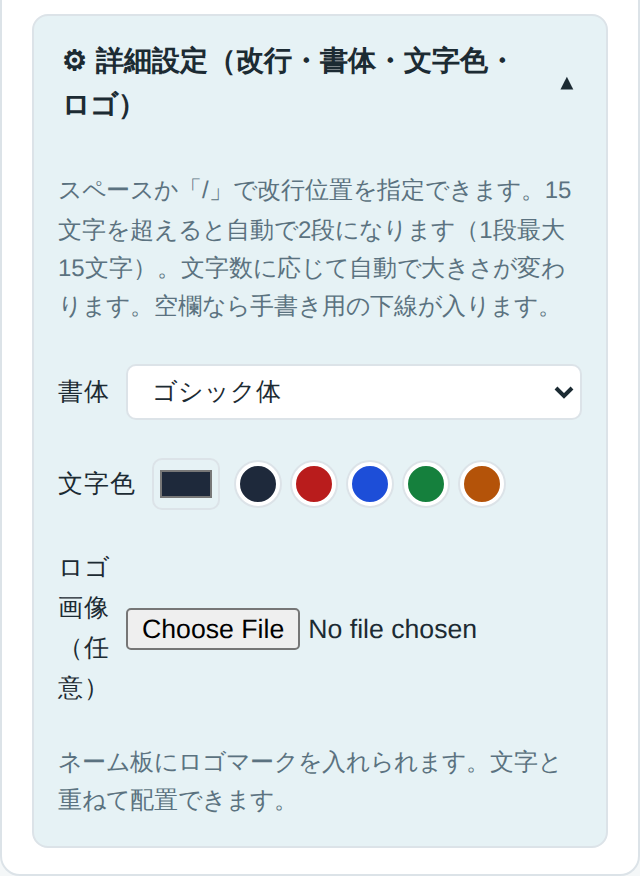
Add a logo to the title: 413×213px or larger
How to: open ⚙ Advanced Settings under "Name plate name" and choose a logo image. We recommend your shop's logo or similar.
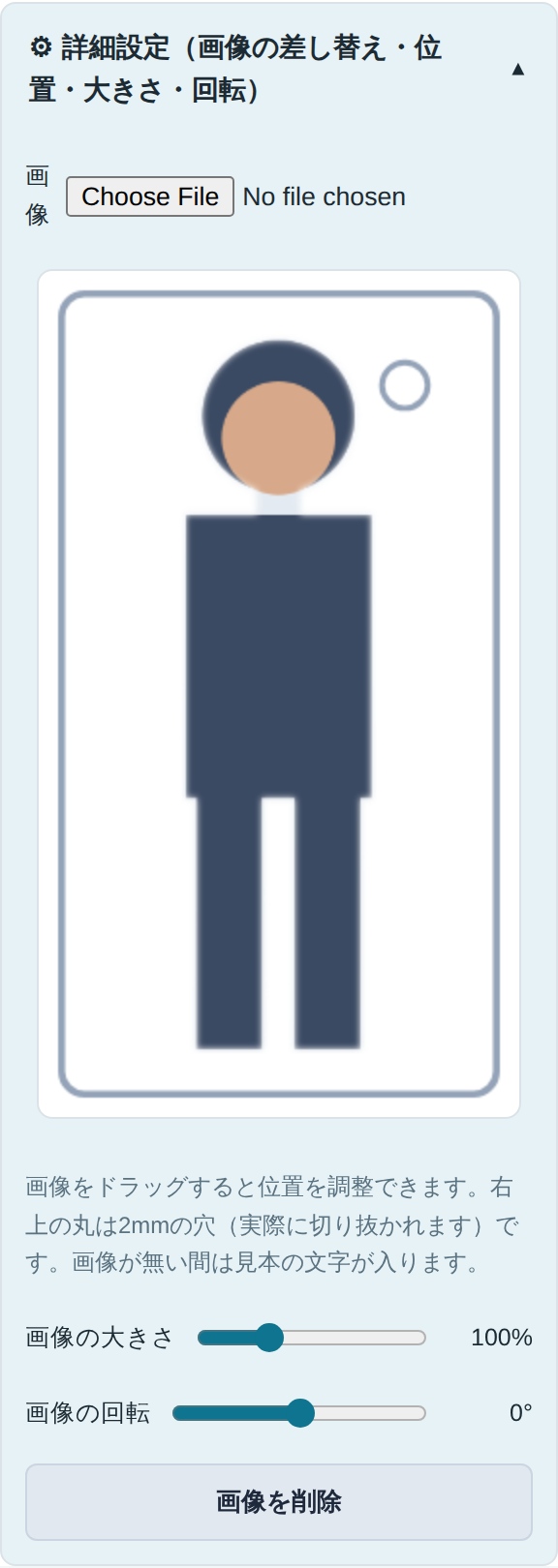
Keychain photo: 21×37mm (approx. 248×437px)
How to: open ⚙ Advanced Settings under "Keychain" and choose an image. If you choose nothing, the same cutout as the main body is used automatically (you can also switch to a different photo).
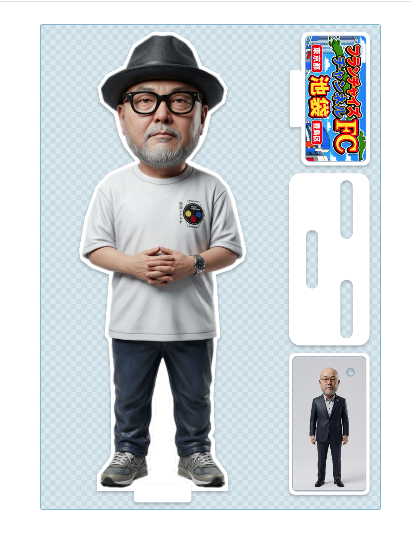
▼ Sample of the output sheet
The main body, title (name plate), base and keychain are laid out on 1 sheet.
 1
3
Base
4
1
3
Base
4
- 1Main body The acrylic stand itself, cut out from your full-body photo.
- 3Title (name plate) Holds your logo image (413×213px or larger).
- BaseBase The stand that holds the main body upright (made automatically).
- 4Keychain 21×37mm. It uses the same cutout as the main body (you can change it).
🛒 Order and Pay
Check the preview and place your order as it is. Only orders that have been paid for can be registered with JAPANアクスタ.
If you choose bank transfer, the order will appear in My Page once we confirm your payment.
★ Register with JAPANアクスタ
Have your shop's URL, social media IDs and so on ready, then register from "JAPANアクスタ" in My Page. You can choose the order to register from a dropdown that shows the photo and order number. If an order contains multiple items, you can choose the 1 item (item ○) to register.
You cannot list the same order on both the Photo Goods SHOP and JAPANアクスタ (orders that are listed or under review on the SHOP cannot be selected; you can register it once you withdraw it from the SHOP).
5. What You Need to Register
- Official name of your shop
- URL of your shop's website
- URL of your personal page, if you have one
- @IDs for social mediaYouTube, X, TikTok, Facebook, Instagram, LINE, etc.
- Keywords (up to 10)Nickname, pet name, hometown, etc.
- A short messageYour goals, a favorite motto, etc.
- You can register as many as you like. However, for popularity ranking and SEO (search), it is best to prepare 1 strong main listing.
- If you have many listings to register, "Bulk registration by CSV" in My Page is handy. Just download the template CSV that already contains your orders, fill it in with Excel, and upload it (no image upload needed; after registration, listings go through the same review as usual).
- After you register, we review your listing, and if there are no problems it will be published on JAPANアクスタ.
💰 Selling Price and Revenue Share
A lower price tends to sell more units, while a higher price increases sales per 1 unit.
* The 18% includes credit card fees and bank confirmation fees. Shipping fees are paid by the buyer.
* Products priced at ¥5,000 or more are delivered by home delivery only.
| Selling price | Our share (¥770 + 18%) | Seller's share |
|---|---|---|
| ¥2,000 | 770+360=¥1,130 | ¥870 |
| ¥3,000 | 770+540=¥1,310 | ¥1,690 |
| ¥5,000 | 770+900=¥1,670 | ¥3,330 |
| ¥10,000 | 770+1,800=¥2,570 | ¥7,430 |
| ¥50,000 | 770+9,000=¥9,770 | ¥40,230 |
| ¥100,000 | 770+18,000=¥18,770 | ¥81,230 |
| ¥1,000,000 | 770+180,000=¥180,770 | ¥819,230 |
The selling prices you can choose on the registration form are ¥2,000, ¥3,000, ¥4,000, ¥5,000, ¥10,000, ¥50,000, ¥100,000 and ¥1,000,000.
🏦 Receiving Your Sales (Settlement)
- When a purchase is made, sales for which payment has been confirmed are totaled automatically. For bank transfer orders, sales appear after payment is confirmed.
- On the "Sales and Bank Account" page, you can check your sales details and revenue share at any time.
- On the same page, register your bank account for payouts. We cannot transfer your payout unless an account is registered.
- Sales for which payment has been confirmed are transferred to you together once a month. We cover the bank transfer fee. We will notify you by email after the transfer.
- Your own purchase of 1 item, required as a condition for listing, is not eligible for revenue share.
- Canceled orders are not included in your revenue share.
📢 Advertising Slot Information (2nd, 5th and 10th positions in the list)
Genre lists are basically shown in order of newest arrivals. In the 2nd, 5th and 10th positions, we can display your listing as an "Ad" for a set period, making it easier for more people to notice.
| Position | 1 month | 1 week |
|---|---|---|
| 2nd | From ¥30,000 | From ¥10,000 |
| 5th | From ¥20,000 | From ¥7,000 |
| 10th | From ¥10,000 | From ¥4,000 |
* The above are approximate minimums. Prices vary by season, so please contact us and we will send you a quotation.
- Contact UsEmail: shop@photo-cross.jp / Phone: 03-5986-1118. Please tell us the genre, position, period and listing (or listing ID) you would like.
- Quotation and ApprovalWe check availability and quote the advertising fee. Once you approve, the placement is confirmed.
- Placement and BillingWe set up the Ad Slot. The advertising fee is billed by invoice (it is not deducted from your revenue share).
- Checking ResultsYou can check your ad's impressions and clicks at any time under "Ad Slot Status" in My Page.
- Ad cards are labeled "Ad" (so customers can tell they are advertisements).
- Only a published listing in that genre can be made an ad. While a listing is not published, such as when it is under review or unpublished, it is not shown as an ad.
- Ad impressions and clicks are approximations and do not guarantee views or sales. For details, see Terms of Use, Article 10.